Manage Security and Billing
Run an owner review of MFA policy, audit logging, access boundaries, subscription state, usage, and destructive controls.
Summary
Examine security and billing together, because subscription state can block writes. Run this review as an active workspace Owner. Members and Viewers can read Billing information but cannot change the subscription or open its hosted portal.
Capabilities
Eigenn supports workspace ownership and member roles, audit logging, SSO integration through organization administration, multi-factor authentication with TOTP apps, settings for audit log retention, billing management, detailed usage tracking, and provides mechanisms for organization-initiated destructive actions such as deleting accounts and workspaces.
Prerequisites
Workspace navigation gates Security & Audit to Enterprise. Personal Account → Security is a separate MFA surface. Workspace policy changes require Owner; audit-event access additionally uses View audit log permission.
To perform this review, you need an active Owner membership inside the workspace. Access to your organization's identity provider and billing platform is required. You should also have the authority to modify workspace security settings, manage subscriptions, and handle sensitive destructive operations.
Concepts
Review Cadence
Run this review:
- Before you invite a new department
- After an owner or billing contact changes
- Before plan renewal or downgrade
- After an identity or payment incident
- Before you describe a Settings control in a compliance questionnaire
Workflow
1. Confirm Owner Continuity
Before you change policy or billing:
- Open the membership view.
- Confirm the intended owner accounts.
- Make sure that at least one other authorized recovery contact exists when continuity needs it.
- Remove stale membership only after the ownership is safe.
Do not delete an owner account or workspace while it is the only path to business records.
2. Check Personal MFA
Open Settings → Account → Security.
- Confirm that your active authenticator appears.
- Add a replacement factor before you retire an old device.
- Check the factor that you added with a six-digit code.
- Remove the old factor only after the replacement works.
The current add-device flow supports TOTP authenticator apps. It does not show passkeys or recovery codes.
3. Set the Future-Member MFA Rule
Open Settings → Security.
- Turn on Require MFA for New Members.
- Select Save.
- Record the activation date in your internal access procedure.
- Test with a membership that you create after that date.
The rule does not apply retroactively. Current members need a separate enrollment campaign and verification process.
4. Set the Audit Logging Policy
In the same page, open Audit & Logging.
- Confirm that Enable Audit Log is on. New workspaces start with it on.
- Select an Audit Log Retention period: 7, 30, 90, or 120 days. The default is 90 days.
- Select Save.
Eigenn records the actor, action, resource, result, duration, and source IP address for write operations. A nightly job deletes routine records after the retention period that you selected.
Eigenn always records changes to workspace settings, roles, membership, and directory sync, and keeps them for their longer compliance period. Your retention setting cannot delete those records early.
A successful settings save invalidates the cached audit flag immediately.
Session-timeout, IP-allowlist, data-retention, and customer-anonymization controls are no longer on this page. Enforce network and session restrictions at your identity provider, VPN, or proxy.
5. Check SSO and Organization State
Open Settings → Account → Organizations and select the relevant organization.
- Confirm the organization domain.
- Examine the identity-administration links that are available.
- Confirm SSO connections in the identity administration system.
- Test sign-in with a non-owner account.
The workspace Security page does not set up SSO. Organization administration is the supported identity path.
6. Reconcile Billing State
Open Settings → Billing.
- Compare Current Plan with the hosted billing portal.
- Check for a Cancelling badge.
- Select Manage billing.
- Confirm the payment method and the platform invoices.
- Compare order history with provider records.
- Record the intended renewal owner.
Local plan state can lag checkout or cancellation. Use the provider state before you buy again or promise continued paid access.
7. Confirm Billing Ownership
Confirm that the intended billing operator has an active Owner membership. Have that Owner check portal access. Review the member list after ownership changes; a removed or deprovisioned Owner must not retain billing access.
8. Review Refund Requests
The Request a refund card lists the workspace's past requests and their status: Pending review, Approved, Refunded, Denied, or Failed.
Submitting a request records it for an Eigenn operator to review by hand. It does not move money. Confirm the terminal status before you treat a refund as settled.
Contact the workspace Owner through your normal communication channel when a billing action needs their attention.
9. Check Usage
Open Settings → Usage and compare:
- Seats
- Active bank connections
- Current-month Inbox items
- Current-month invoices
- Storage
Use detail CSV exports for evidence when the data looks credible.
If the usage query fails, the page states that usage data is temporarily unavailable. It does not substitute a plan name or zero counts. Reload the page, then compare Settings → Billing if the message stays.
10. Cancel a Subscription Safely
There is no free plan. As an Owner, use Manage billing to review cancellation in the hosted portal. From a higher plan, selecting Starter also asks for confirmation and schedules cancellation at period end; it does not purchase a paid Starter subscription. Selecting Starter when it is already current makes no change.
Before you confirm:
- Examine the paid features and quotas that the workspace uses.
- Export the necessary billing and operational records.
- Find the active workflows, webhooks, API keys, and connections.
- Communicate the effective date.
- Open cancellation in the hosted portal, or select Starter from a higher plan.
- Confirm the effective date and the cancellation.
- Check the cancellation in the hosted portal.
The local Current Plan card can stay paid until the provider synchronizes.
After the cancellation takes effect, the workspace becomes read-only. It stays available for viewing and export for 3 months. Owners receive warning emails 30 and 7 days before the workspace and its data are deleted.
11. Review Destructive Controls
Delete account
This action deletes the user and any solely owned workspaces. It then queues external cleanup for those workspaces.
Delete team
Owner-only permanent deletion of the active workspace. Storage and connected-provider cleanup can continue asynchronously.
Remove custom email domain
Requires Manage settings permission. Clears the workspace sender configuration and returns email to the default domain.
Remove bank connection
This action stops sync for that connection and changes usage. Check downstream reconciliation before you remove the connection.
Behavior specification
Only active workspace Owners can start checkout, open the hosted portal, cancel, or resume a subscription. A Member or Viewer role does not grant these permissions. Refund requests use separate workspace permissions and require operator review before money moves.
Active and trialing subscriptions permit writes within the plan and role limits. Past-due subscriptions retain writes during the seven-day payment grace period, then become read-only. Unpaid, paused, canceled, incomplete, and expired incomplete subscriptions block writes.
Diagrams
Rendering diagram…
Screenshots
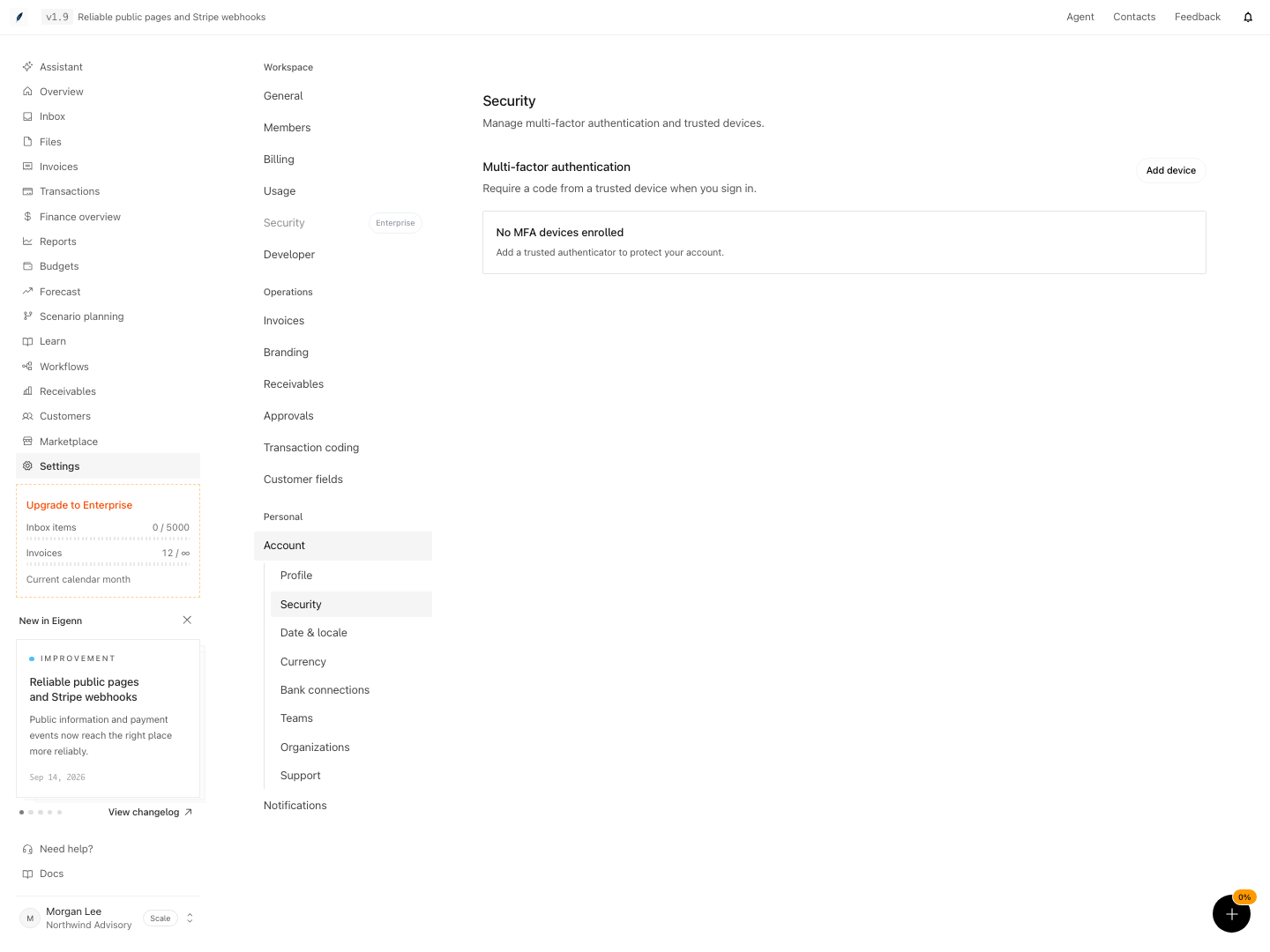
Account security before an authenticator device has been enrolled.
Shown with synthetic data in a local workspace.
Verification
Troubleshoot
A Member cannot open the billing portal
This is expected. Portal access and subscription changes require an active Owner membership. Ask the workspace Owner to review billing.
An audit-logging change has no immediate effect
Confirm that the save succeeded and refresh. It invalidates the cached flag; security-sensitive events remain recorded regardless.
The cancellation badge does not appear
Open the hosted billing portal and compare provider state. Local cancellation data can lag.
Usage contradicts Billing
If Usage is unavailable, reload the page. If Usage and Billing still disagree, use Billing and the resource pages, then contact support.
A refund request has not changed status
An Eigenn operator reviews each request by hand. Submitting records the request; it does not issue a refund.
- Open the membership view and confirm there is more than one recovery contact; expected: all intended owners and at least one backup are listed.
- In the security settings, verify your MFA authenticator factor works; expected: code validation succeeds and old devices are removed only after the new factor is confirmed.
- Activate the 'Require MFA for New Members' setting and test with a new member; expected: the new member is prompted for MFA setup.
- Set and save audit log retention, then perform a write operation; expected: action appears in audit logs and is retained per policy.
- In the organization settings, confirm the SSO domain, links, and a successful sign-in as a non-owner; expected: SSO links appear and login for non-owner completes.
- Compare billing states in both Eigenn and the hosted provider; expected: plan and payment match and outstanding invoices are accounted for.
- Attempt to change billing as a Member and a Viewer; expected: both roles are denied subscription changes and hosted portal access.
- Review usage stats and CSV export; expected: usage data is current or a temporary warning is shown.
- Attempt a subscription cancellation and observe status changes in both platforms; expected: local and provider states reconcile after processing.
- In an isolated test workspace, try each destructive control; expected: resource deletes as indicated, or is scheduled for removal, with external cleanup continuing if required.