Workflow Outcomes
Read the recovered revenue, invoices resolved, estimated hours saved, and run health that Eigenn attributes to your workflows.
Summary
Workflows → Outcomes answers whether your automation is earning its keep. It reports money that Eigenn attributes to workflow runs, the invoices those runs resolved, an estimate of the work they replaced, and the health of the runs themselves.
These are attributed results and estimated effort savings. A payment after contact is a correlation, not proof that the workflow caused it.
Capabilities
The Outcomes feature provides transparent reporting for workflows that contact customers about invoices. It shows invoice amounts attributed to workflow runs, number of invoices resolved, an automated estimate of hours saved, and run health based on completed and failed runs. It also highlights items that require user intervention and supports reporting across multiple currencies.
Prerequisites
Prerequisites
- At least one deployed workflow that contacts customers about invoices.
- Finished runs whose attribution window has closed. A run is measured only after that window closes.
- Team read access to workflows.
Concepts
Reporting period
Select Last 30 days or Last 90 days. The period is a half-open window ending now.
Shorter periods are not offered. A run is measured only after its 14-day attribution window closes, so a one-week view would show a near-empty page. Longer periods are not offered because the trend charts draw one weekly bucket per point, and a longer range would need more buckets than the charts can carry.
Trend points are weekly. Each point is a separate database aggregate, not a client-side count of a truncated list, so a point stays correct at any run volume.
Attribution
Eigenn attributes a payment to a workflow execution when the payment falls inside the attribution window of that execution.
The window is [first contact, last contact + 14 days].
- First contact is the time of the first message that the execution delivered.
- Last contact is the time of the last message that the execution delivered.
- 14 days is the default window length. Eigenn records the window length on every measured outcome, so the basis of the number is never implicit.
An invoice paid before the first contact is not attributed, because the workflow cannot have caused it. An invoice paid long after the last contact is not attributed either, because that claim is not defensible.
Only messages in the sent or delivered state support an attribution claim. A bounced message cannot have caused a payment. Eigenn still counts a bounce as work that a person did not have to do.
Shared credit
Another workflow execution or the legacy collections ladder can also reach an attributed invoice inside the window. Eigenn then marks the run as shared credit and shows the count next to the headline figure.
Read the shared-credit count before you present recovered revenue. Two workflows can each report a contribution to the same payment.
Unmeasured runs
An unmeasured run is not the same as a run that recovered nothing.
A run is unmeasured when its attribution window has not closed, or when Eigenn has not swept it yet. Recovered revenue and run health can show — when not measured or unavailable. With no measured outcomes, invoice and hours totals can still show zero; do not interpret those totals as proof that every run recovered nothing. Eigenn reaches back up to 90 days for executions it never measured.
A recovery claim must also satisfy two rules before Eigenn stores it:
- A recovery figure needs an attribution basis.
- A recovery figure cannot exist when no invoice was resolved.
A stored row that breaks either rule is not shown.
Workflow
Go to the Outcomes page to select a reporting period. Eigenn will display recovered revenue by currency, resolved invoices, estimated hours saved, and run health for each relevant workflow. The page also lists actions requiring your attention—such as runs awaiting approval and failed runs. Review the outcomes, noting how attribution and shared credit are explained for each card. For detailed run or pause investigations, jump to linked pages as needed.
Behavior specification
Cards
| Card | What it reports |
|---|---|
| Recovered | Attributed invoice value for the period, listed per currency |
| Invoices resolved | Count of attributed invoices, with the number of measured runs that brought money in |
| Hours saved (est.) | An estimate derived from the automated actions that Eigenn counted |
| Run health | Completed runs divided by finished runs, with the failed count |
Currency
Eigenn never adds amounts across currencies. Recovered revenue is a list, one entry per currency. Collapsing the list into one number would invent an exchange rate.
An invoice uses its own currency. If the invoice has none, Eigenn uses the base currency of the workspace, then USD.
Hours saved
Eigenn counts the automated actions. The minutes are an assumption.
One automated action is treated as five minutes of a person's time. The five minutes represents opening the invoice, finding the contact, writing and sending the chase, and recording that it was sent.
Hours saved is therefore automated actions × 5 ÷ 60, rounded for display. Treat it as an estimate, not as a measurement.
Run health
Run health is completed runs divided by finished runs, where finished means completed or failed. Pending, running, and waiting runs are not counted.
When no run has finished in the period, Eigenn shows an unknown rate. It does not show 0% or 100%. A workflow that has never finished a run has no success rate.
Attention panel
The page also lists work that needs a person:
- Pending human checkpoints for the workspace; this is not necessarily the current user's eligible policy-approval queue.
- Failed runs in the period, sampled up to 100 runs.
- The workflow steps that fail most, up to five steps.
Use Workflow Executions to open a specific run, and Workflow Pauses to resolve a checkpoint.
Limits
- The attribution window is 14 days and is not configurable from this page.
- Failed-run analysis samples the 100 most recent failed runs in the period.
- The definition list used for filtering loads up to 100 workflows.
- Amounts are never converted between currencies.
- Outcomes cover workflows that contact customers about invoices. A workflow that performs no customer contact and resolves no invoice has no recovery to report.
Diagrams
Rendering diagram…
Screenshots
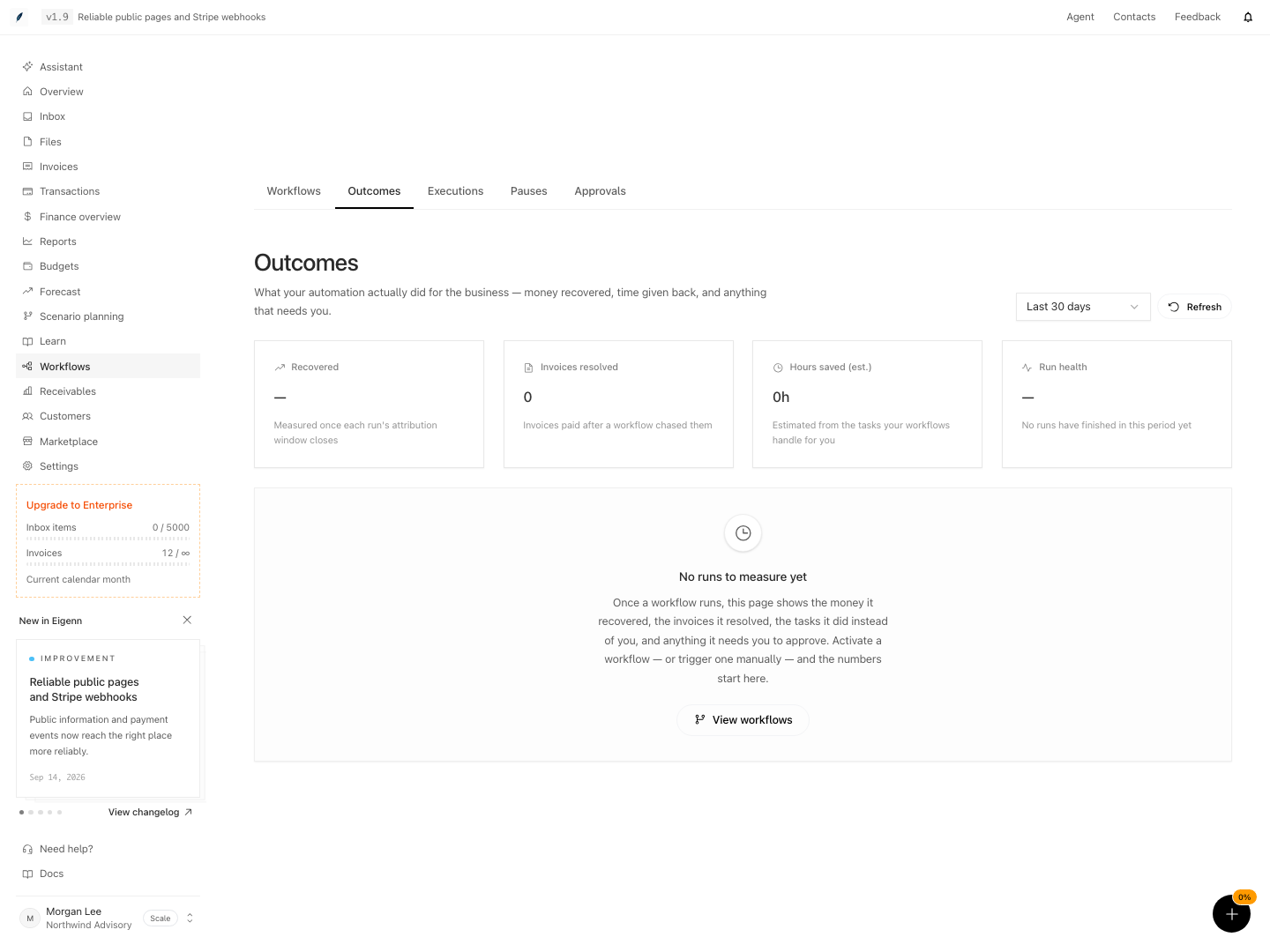
Workflow outcomes with no completed runs yet in the selected period.
Shown with synthetic data in a local workspace.
Verification
Confirm the Result
- The period covers runs whose attribution window has closed.
- Recovered revenue is read per currency, not as one total.
- The shared-credit count is understood before the figure is reported to anyone.
- Hours saved is presented as an estimate with its five-minute basis.
- Run health is not read as 100% when no run has finished.
Troubleshoot
Recovered revenue is unknown
No run in the period has been measured yet. Wait for the 14-day attribution window of the relevant runs to close, then check again.
Recovered revenue looks too low
Eigenn attributes only payments that fall inside the window and only after a delivered message. A payment that arrived before the first contact, or well after the last one, is excluded on purpose.
Two workflows report the same payment
That is shared credit. Read the shared-credit count. Do not add the two recovered figures together.
Run health shows an unknown value
No run finished in the period. Pending, running, and waiting runs do not count toward the rate.
Hours saved disagrees with a marketing estimate
Hours saved is derived from the actions that Eigenn actually took, at five minutes each. It is not derived from an assumed monthly volume.
- Confirm recovery metrics use measured outcomes with closed attribution windows. Run-health and attention panels cover execution state separately, including work that is not yet measured.
- Check that the recovered revenue card lists amounts by currency, not as a combined total.
- Locate the shared-credit count near any recovered revenue figure where multiple workflows contributed to a single payment.
- Verify the estimate for hours saved appears, accompanied by a basis of five minutes per automated action.
- Ensure that if no run has finished in the period, run health does not display 100% or 0%—it should indicate an unknown rate.
- If recovered revenue is unknown, recognize that no suitable runs have finished, and confirm that after the appropriate window, the figure updates.
- When two workflows report the same payment, verify that both figures appear as shared credit and are not summed.