Start from a template
Create a planning model from a blank grid or from one of the built-in templates.
A template creates a model that already has sections, variables, formulas, and example inputs. Use New model to build the structure yourself.
Templates do not need a connected integration. Replace the example inputs with your own numbers.
1. Open the template list
Go to Scenario planning → click New model. You can also click the Quick start card.
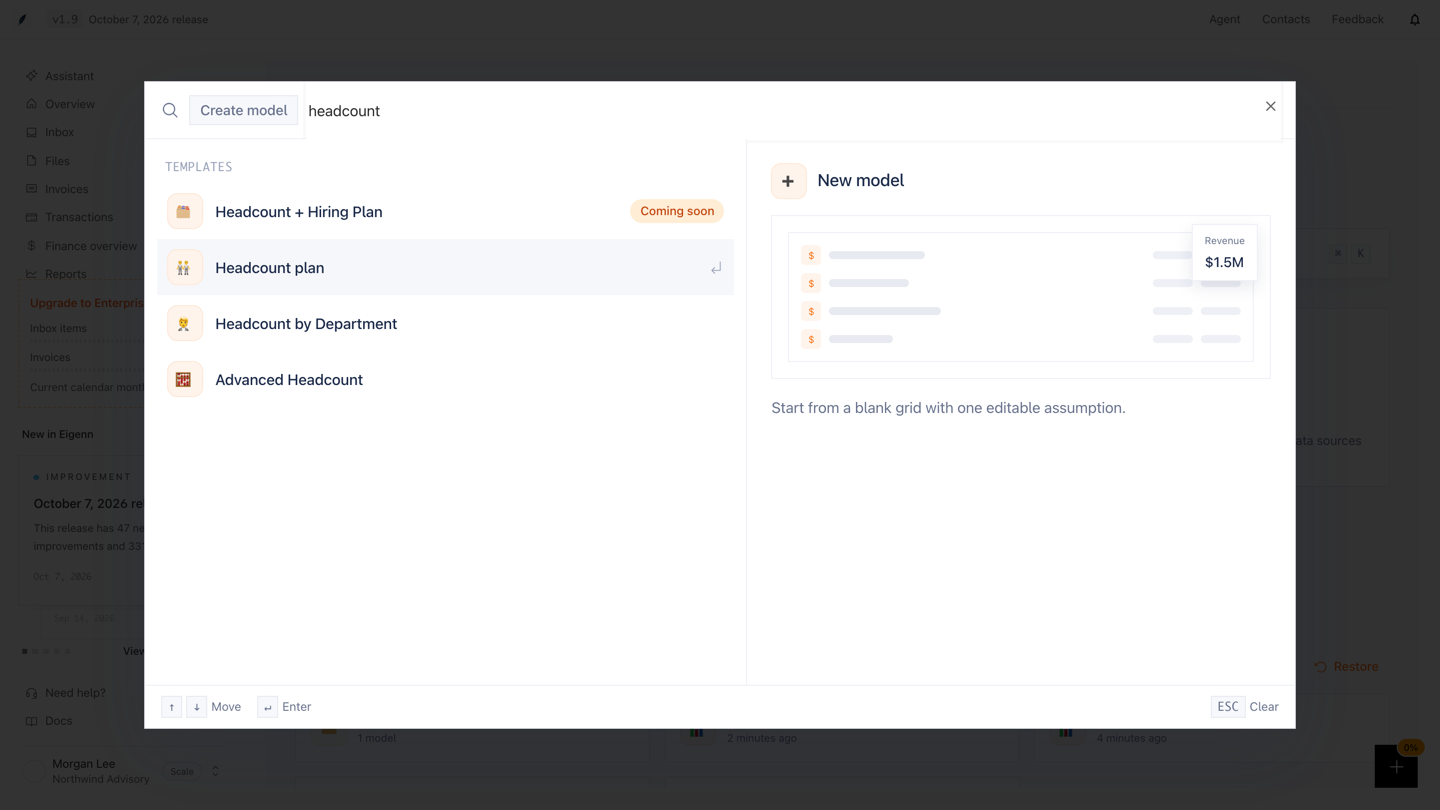
The Create model dialog opens. The right side shows a preview of the highlighted row.
2. Create the model
- Type in the Search… field to filter the rows.
- Point to a row, or use ↑ and ↓, to see its preview.
- Click the row, or press ↵.
Eigenn creates the model and opens it. The model gets the template name. A blank model gets the name New model. Only a workspace Owner can create a model.
What a new model contains
- New model has an Inputs section with one Assumption input, and an empty Calculations section.
- Each new model has 12 monthly periods. The first period is the current month.
- 13-Week Cash Flow has 13 weekly periods. The first period is the current week.
The dialog shows all templates under Templates. The topic groups below are on this page only.
Financial statements and cash
- Three Statement Model: a P&L, a simple balance sheet, and a cash roll-forward.
- P&L and Runway: burn against cash, and the runway in months.
- Balance Sheet & Cashflow: retained earnings and cash, with a working-capital adjustment.
- 13-Week Cash Flow: weekly inflows, outflows, cash balance, and weeks of cover.
- Receivables & DSO: collections, receivables, and days sales outstanding.
- Late Fee & Interest Income: interest and late-fee income on overdue balances.
- SaaS Working Capital Template: collections, prepaid amounts, and payables for a SaaS company.
- Budget vs Actuals Variance: budget against actuals, with revenue attainment and cost overrun.
Revenue and customers
- B2B SaaS Revenue Model: a driver-based recurring revenue model.
- SaaS Metrics: MRR movement, NRR, CAC, churn, and burn efficiency.
- Seasonal Revenue: higher revenue in peak months and lower revenue in the other months.
- Simple Cohort Model: a customer base that retention drives, with revenue per customer.
- Advanced Cohort: cohort retention for each acquisition channel.
Headcount, costs, and consolidation
- Headcount plan: monthly hires and the payroll cost.
- Headcount by Department: headcount and fully loaded payroll for each department.
- Advanced Headcount: one row for each employee, with raises and bonuses.
- Costs by Vendor: costs for each vendor, compared with the budget.
- Consolidation by Entity: several entities, with intercompany eliminations.
- Multi-currency Consolidation: entities in different currencies, with one FX rate for each entity.
Stress tests
- Cash Flow Stress Test: how far revenue can fall before you burn cash.
- SaaS Churn Stress: higher churn, and its effect on MRR, ARR, and retention.
- Cost Inflation Stress: higher costs, and the effect on margins and break-even.
- Collections Delay Stress: slower collections, and the cash gap against receivables.
- Demand Shock Model: a change in units or price, with contribution margin and break-even volume.
- Interest Rate Stress: a higher interest rate, and interest coverage against EBITDA.
- FX Exposure Stress: a change in the FX rate, and foreign revenue and profit in your base currency.
- Customer Concentration Stress: the loss of your top customer, and the revenue that you can absorb.
Rows with a Coming soon badge are not available. You cannot select them.