Time
The model range, the granularity, and the Last actual date set the periods of a planning model and where actuals stop.
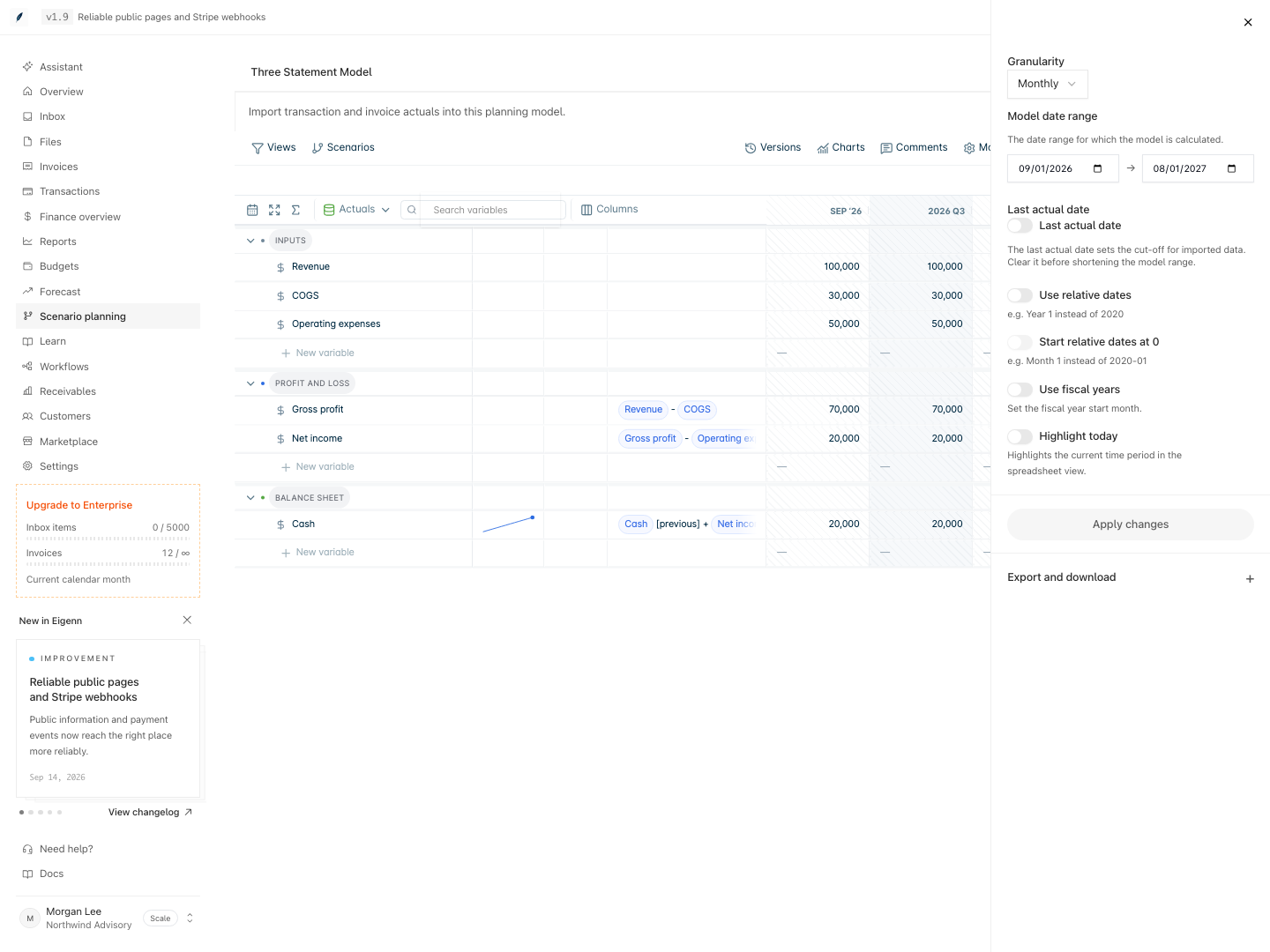
A planning model calculates over a fixed series of periods. Each variable has one value for each period, and each formula runs one time for each period. Two settings make the series: the granularity and the model date range. A new blank model is monthly and covers 12 months from the current month.
The Last actual date splits the periods in two. That period and the periods before it are actual periods. In actual periods, data-linked variables show values from their data source. The periods after it are forecast periods, where formulas and inputs apply.
Time references in formulas count periods, not months. Revenue[t-12] reads one year back in a monthly model, but three years back in a quarterly model. Choose the granularity before you write formulas.
All time settings are in one panel. Open a model and select Model settings. Change the settings, then select Apply changes. Eigenn saves nothing until you apply.
Each time a month closes, move the Last actual date forward. Before you move it, save a version of the old forecast and refresh the actuals.
Pages in this group
- Time settings: Set the granularity, the model date range, and the fiscal year.
- Last actual date: Set where actuals stop and the forecast starts.
- Time granularity: Choose daily, weekly, monthly, quarterly, or yearly periods.
- Roll the model forward: Move the model to the next month after a close.